BuchungsDesk comes with two apps: one for you and your team, one for your customers. Both run in the browser and can be added to the home screen like an app – no app store, no download. On iPhone and Android.
The pictures show a demo swim school with fictional customers.
The team app
For you and your trainers: the day, the customers and the money – on your phone.
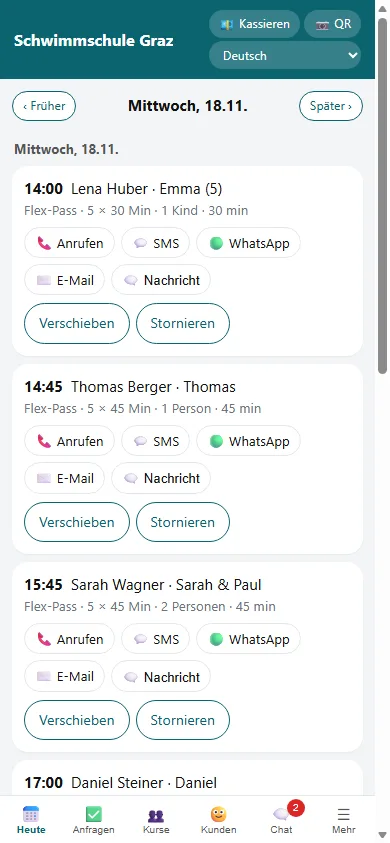
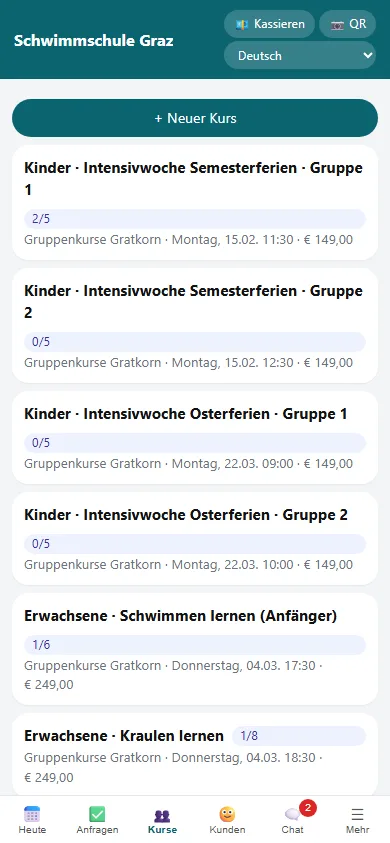
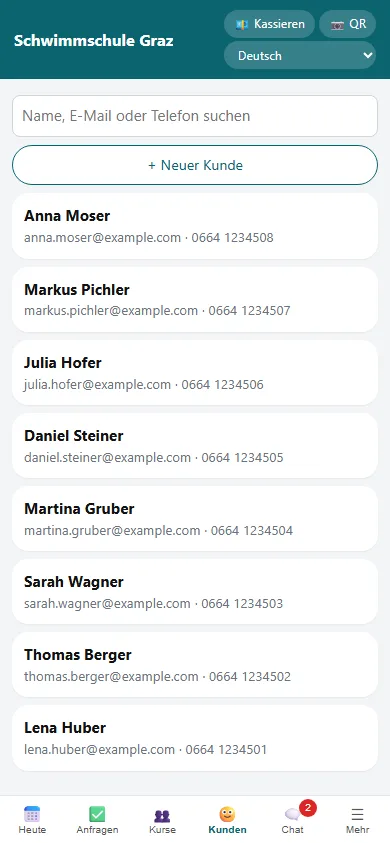
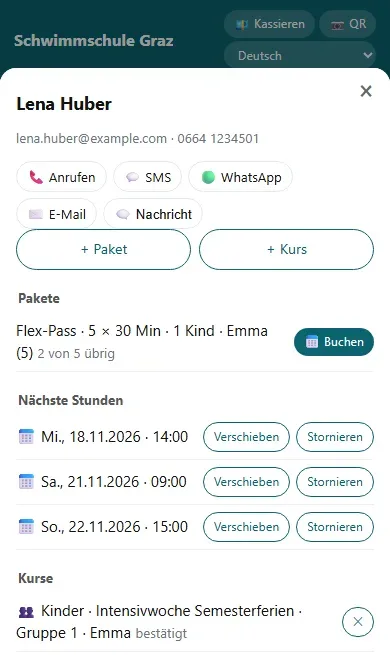
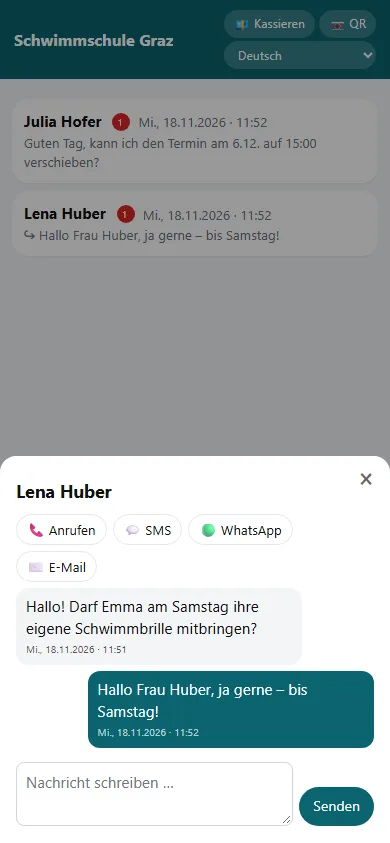
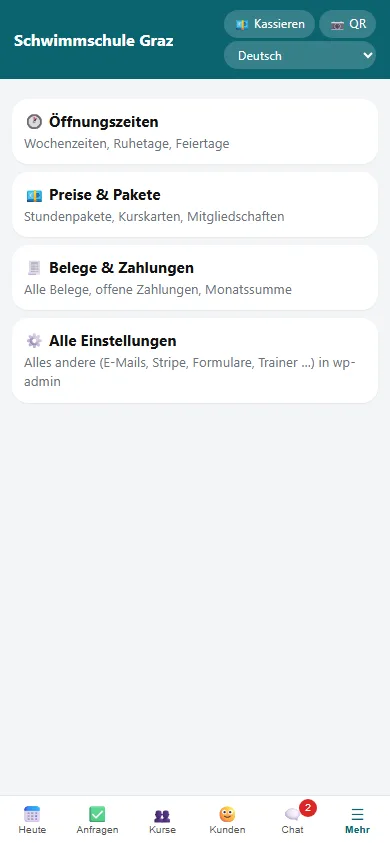
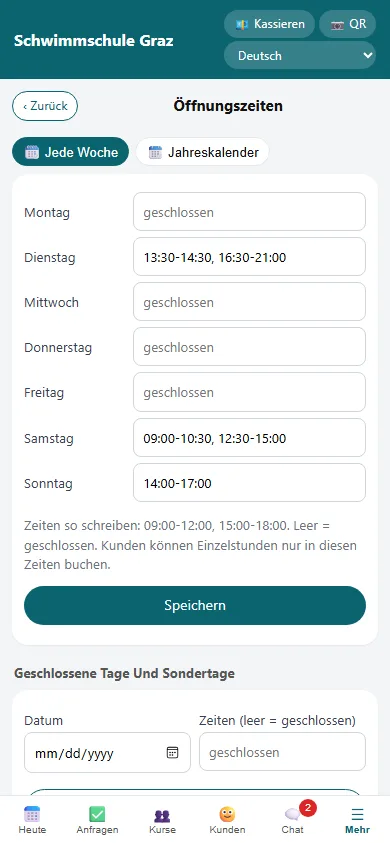
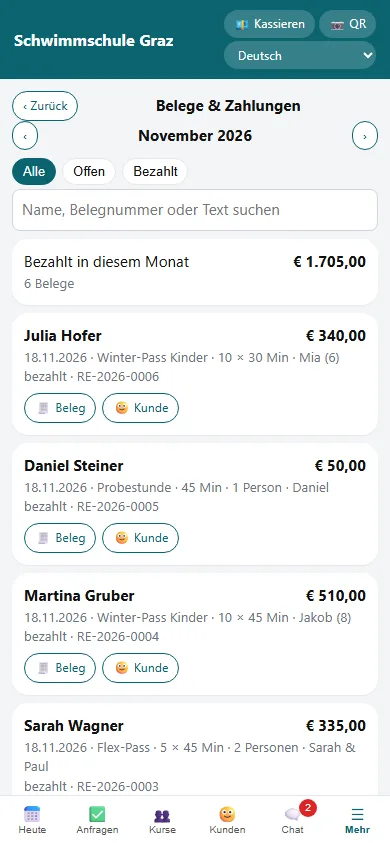
Today: your day planAll private lessons and courses of the day in one list. One tap to call, send an SMS, WhatsApp, e-mail or chat message. Move or cancel right here – the customer gets an e-mail automatically.Courses: free places at a glanceEvery course shows how many places are taken. Create courses, change dates, add participants, tick attendance or cancel a course – everyone affected is informed.Customers: search and addSearch by name, e-mail or phone number. Add new customers in seconds, for example right at the pool.Customer card: everything about one personPackages with remaining lessons, next bookings, courses and payments. From here you sell a package (cash, bank transfer or payment link), book a lesson or add the person to a course.Chat with your customersAll messages in one place, unread ones with a number. Customers write from their customer area, you answer in the app. New messages also send an e-mail notice.More: hours, prices, receiptsChange opening hours, prices and packages, receipts and payments without a laptop. Everything else (e-mail texts, Stripe, forms, trainers) stays in the WordPress admin.Opening hours and year calendarWeekly hours with several time windows per day. In the year calendar you close single days or open special days. Customers can only book inside these times.Receipts and paymentsMonth total, open and paid payments, search by name or receipt number. Mark cash as paid, open a receipt or refund a card payment – with a credit note.
Also in the team app
Get paid and QRAt the top of the app: collect an amount with a payment link or show a QR code. With “QR” you scan your customers' check-in code in a course.
RequestsIf you want to approve bookings first, they arrive here. You also offer places from the waiting list here.
For your teamTrainers get their own login and see their own lessons and courses. Everyone chooses German or English.
The customer app
For your customers: book, move, ask – without a phone call.
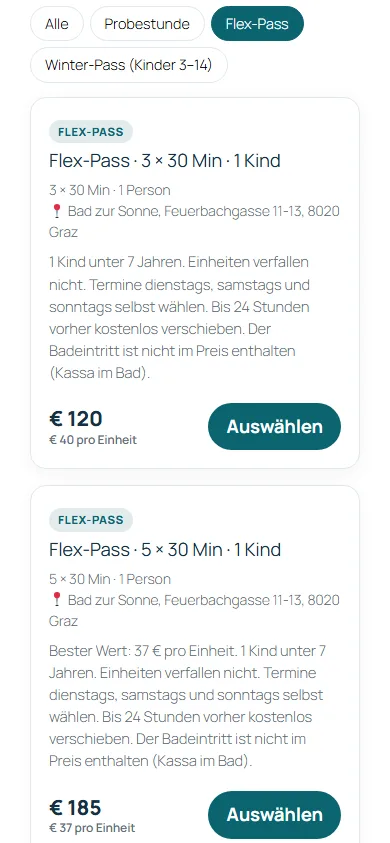
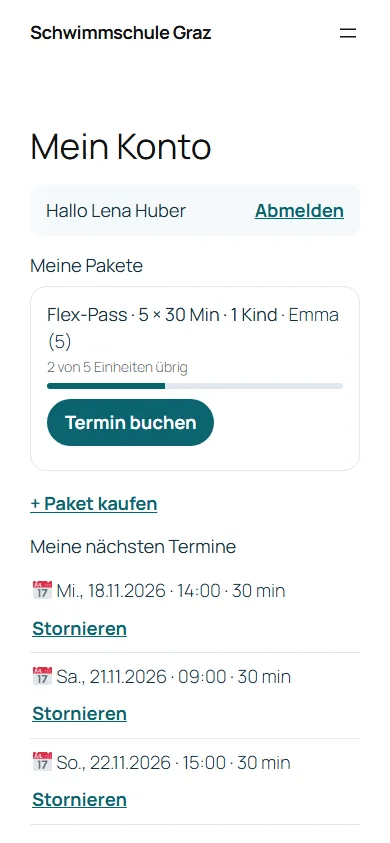
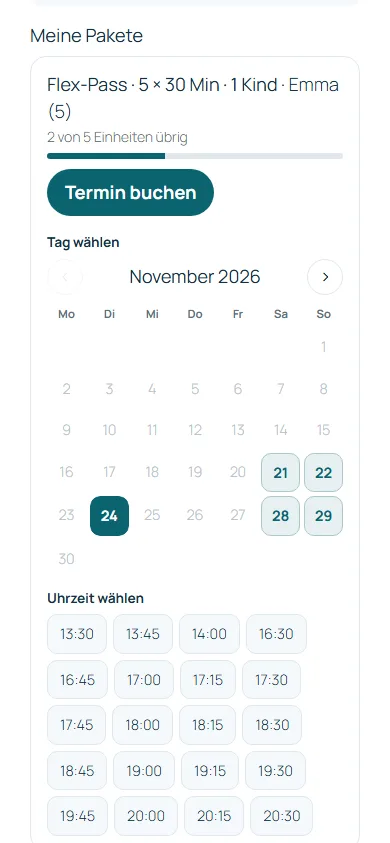
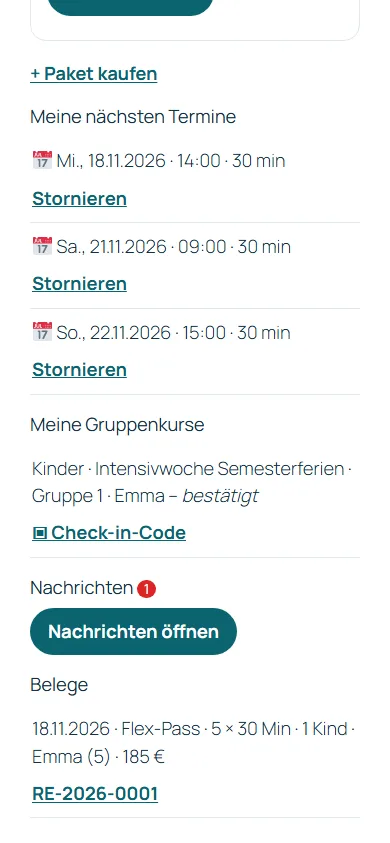
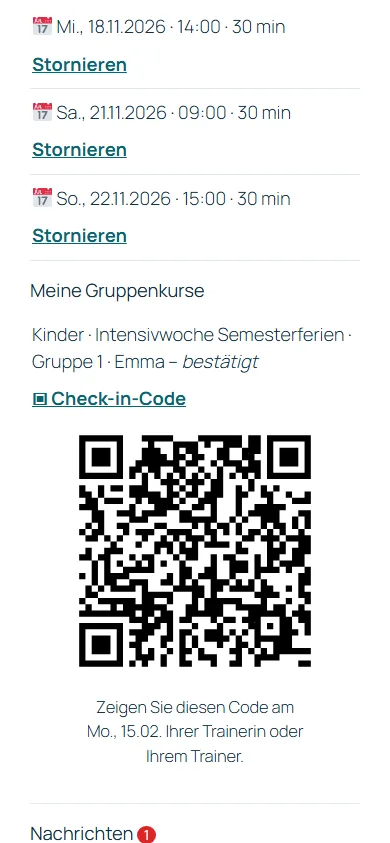
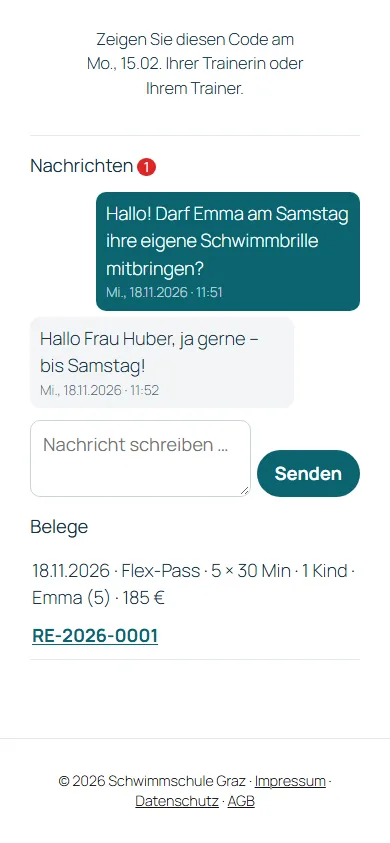
Choose an offer and bookYour offers with price, duration, place and description, filtered by category. Packages also show the price per lesson.My account – no passwordCustomers log in with a link sent by e-mail. They see their packages with the lessons left and can book the next lesson right away or buy a new package.Book a lesson themselvesThe calendar shows only days with free times. One tap on the day, one tap on the time – done. The confirmation arrives by e-mail with a calendar entry.Bookings, courses and receiptsAll upcoming lessons and courses at a glance. Customers can cancel until the deadline you set – the lesson then goes back to the package. Receipts are ready to open.Check-in code for coursesEvery course sign-up has a QR code. The customer shows it, you scan it with the team app – attendance is recorded right away.Messages to youCustomers write their questions right in the customer area – no more scattered WhatsApp messages. Your answer shows up here.
How to get the apps on a phone
Team app: in WordPress open BuchungsDesk → Phone app and open the link or scan the QR code.
Customer app: your customers open “My account” on your website – the link also comes with every booking confirmation.
On the phone choose “Add to Home Screen” (iPhone: share icon; Android: Install).
Wir verwenden Cookies für Statistik und Marketing, um die Website zu verbessern. Sie entscheiden, was Sie erlauben – und können es jederzeit ändern.
Funktional
Immer aktiv
Die technische Speicherung oder der Zugang ist unbedingt erforderlich für den rechtmäßigen Zweck, die Nutzung eines bestimmten Dienstes zu ermöglichen, der vom Teilnehmer oder Nutzer ausdrücklich gewünscht wird, oder für den alleinigen Zweck, die Übertragung einer Nachricht über ein elektronisches Kommunikationsnetz durchzuführen.
Vorlieben
Die technische Speicherung oder der Zugriff ist für den rechtmäßigen Zweck der Speicherung von Präferenzen erforderlich, die nicht vom Abonnenten oder Benutzer angefordert wurden.
Statistiken
Die technische Speicherung oder der Zugriff, der ausschließlich zu statistischen Zwecken erfolgt.Die technische Speicherung oder der Zugriff, der ausschließlich zu anonymen statistischen Zwecken verwendet wird. Ohne eine Vorladung, die freiwillige Zustimmung deines Internetdienstanbieters oder zusätzliche Aufzeichnungen von Dritten können die zu diesem Zweck gespeicherten oder abgerufenen Informationen allein in der Regel nicht dazu verwendet werden, dich zu identifizieren.
Marketing
Die technische Speicherung oder der Zugriff ist erforderlich, um Nutzerprofile zu erstellen, um Werbung zu versenden oder um den Nutzer auf einer Website oder über mehrere Websites hinweg zu ähnlichen Marketingzwecken zu verfolgen.